
Security settings
תוכן זה אינו זמין עדיין בשפה שלך.

| Allow form in IFrame | When checked Cellosign will be allowed to be hosted as an IFrame. Origins Regex field is opened. Default: Unchecked |
| Origins Regex | Origins can be configured as regex pattern to adapt to one or many domains. Default is any domain. |
| Autologin | When checked the login to the system will be performed automatically from outside using API. Default: Unchecked |
| Password renewals | When checked all the users under the same project will have to renewal the password after X days defined in the Interval field. Default: Unchecked |
| Interval | Interval for password renewals in days. Default: 365 |

| Password minimum length | Default: 8 chars |
| Require at least one capital letter | Default: Unchecked |
| Require at least one digit | Default: Unchecked |
| Require at least one special character | Default: Unchecked |

| Policy | There are two types of policies: - Lock: user’s account will be locked after the number of failed logins and the project manager will have to unlock the user. - Temporary lock: user’s account will be locked for X minutes and then will be able to try again. Default: Lock |
| Lock account after failed login attempts | Number of retries for user to login before the account is locked. Default: 5 |
| Account will be locked for [minutes] | In case of “Temporary lock” the number of minutes to wait until the account is unlocked. Default: 5 |

| User application logout [minutes] | User application logout after X minutes if there is no activity. Default: 30 |
| Client application logout [minutes] | Client application logout after X minutes if there is no activity. Default: 30 |
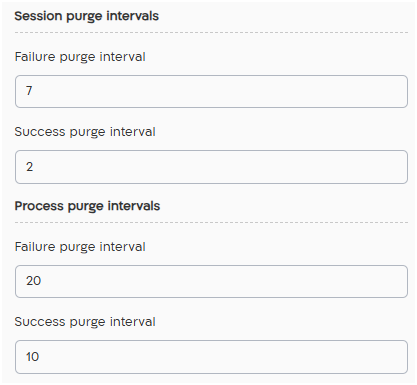
| Session: Failure purge interval | Lapse time in days until completely remove failed transactions after completion. Allowed values: min: 7, max 30 days |
| Session: Success purge interval | Lapse time in days until completely remove successful transactions after completion. Allowed values: min: 2, max 30 days |
| Process: Failure purge interval | Lapse time in days until completely remove failed bpmn after failed completion. Allowed values: min: 7, max 30 days |
| Process: Success purge interval | Lapse time in days until completely remove failed bpmn after successful completion. Allowed values: min: 2, max 30 days |

Limit access to end clients. See details here.
mTLS Configuration
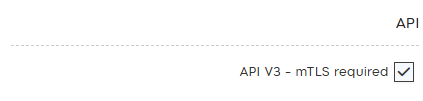
Section titled “mTLS Configuration”mTLS requires activation. In case you cant see it, please advise our support team.
See here further details regards mTLS.
Default regex
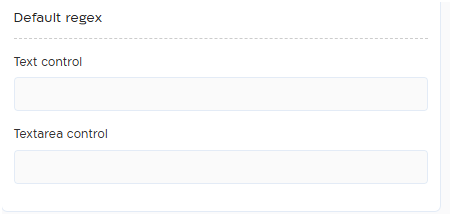
Section titled “Default regex”Add default regex pattern to text and textarea controls. Once regex is added, each control dragged into template will include the regex pattern added here.
Notes:
- Updating regex in this view doesn’t have impact on exsiing fields in templates only new fields, hence fields will not be updated automatically
- Make sure to use JavaScript flavor for regex and test it before using in production
Press “Save” button to save the changes.
Note: for users with multiple projects the restricts of security policy will apply according to the highest security measures.