Payment
תוכן זה אינו זמין עדיין בשפה שלך.
In order to apply a payment controller in a template first of all need to define payment integration under the Integrations screen.
For more information about the payment integration click here.
Developer
Section titled “Developer”Under the Developer tab of the payment controller you can map data fields returning from provider to Fields in Cellosign form.
Note: Make sure not to disclose tokens and other confidential data. Either hide them from viewer or be ready to accept them on Archive API.
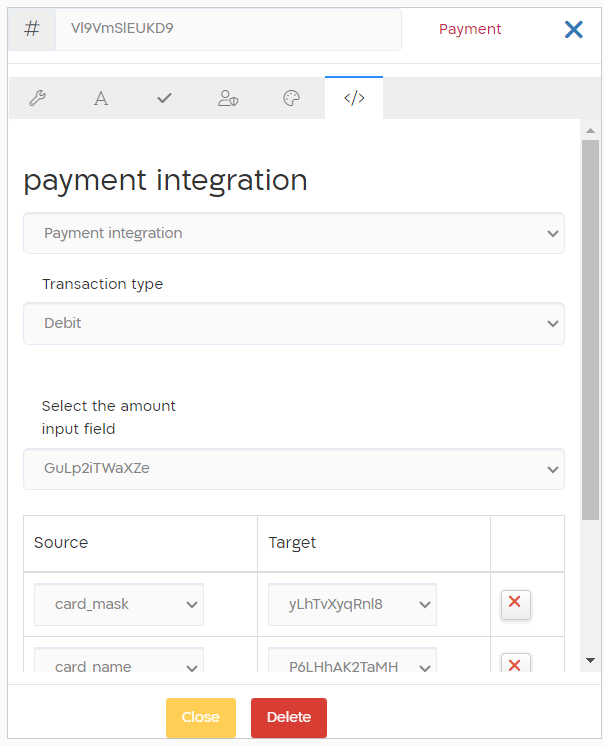
| Payment Integration | Select a valid payment integration created in the Integrations screen. |
| Transaction Type | Select the transaction type: Debit or Recurring Debit. |
| Select the amount input field | Select the field from the template where the amount of the payment will be added. Note: without the amount value the payment window will not open. You can set a default value for this field, or alternatively it can be filled in by the agent when sharing the screen with the client. The field can be hidden, and it still will be the amount of transaction. |
| Source and Target table | You can select fields in the template and connect them to the data returned from the payment interface. For example: last 4 digits of the credit card, card validity date, credit card type, etc. In the “Source” column, enter the name of the required data to be retrieved from the payment interface. You must choose the name of the item as it appears at the checkout (for example: card_no) Select the field in the template that will receive the information item (for example: cardNumber) |
See below the example of the payment controller mapping:

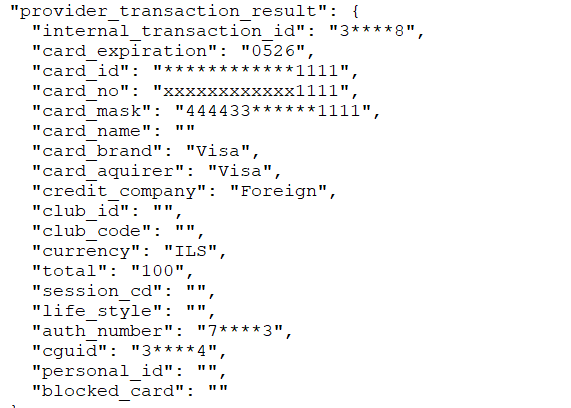
The following parameters can be returned from the payment interface and mapped to the template fields:

| card_expiration | Expiration date of the credit card |
| cguid | Unique identifier of the transaction |
| card_no | Credit card number |
| card_mask | Credit card mask |
| card_name | Credit card owner name |
| card_brand | Brand of the credit card |
| card_aquirer | Acquirer of the credit card |
| credit_company | Credit card company |
| club_id | Club ID of the credit card |
| club_code | Club code of the credit card |
| currency | Currency of the transaction |
| total | Total amount of the transaction |
| life_style | Is the card is of Life Style type |
| auth_number | Authorization number of the transaction |
| personal_id | Personal ID of the card owner |
| blocked_card | Whether the card is blocked |
| verify_error_code | Value of “result” tag. Typically if this result is diferent then “000” there is an error |
| verify_error_description | Value of “message” tag. Typically has value when result is not equal to “000” |
All the data returned from the payment interface will be archived in the meta_file.json upon the form submission.
Values & Display
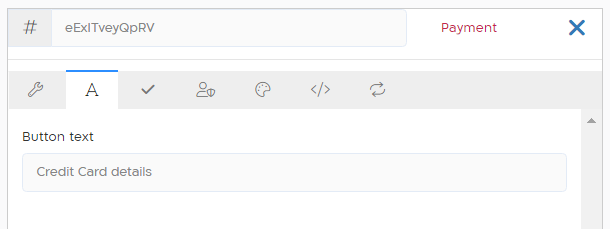
Section titled “Values & Display”It is possible to change the default payment button name under “Values & Display” section.