
Payment integration
תוכן זה אינו זמין עדיין בשפה שלך.
Before creating an integration with the Cellosign system, the integrity of the terminal must be checked against Credit Guard.Get the login information from Credit Guard and perform a terminal health check on the payment page.
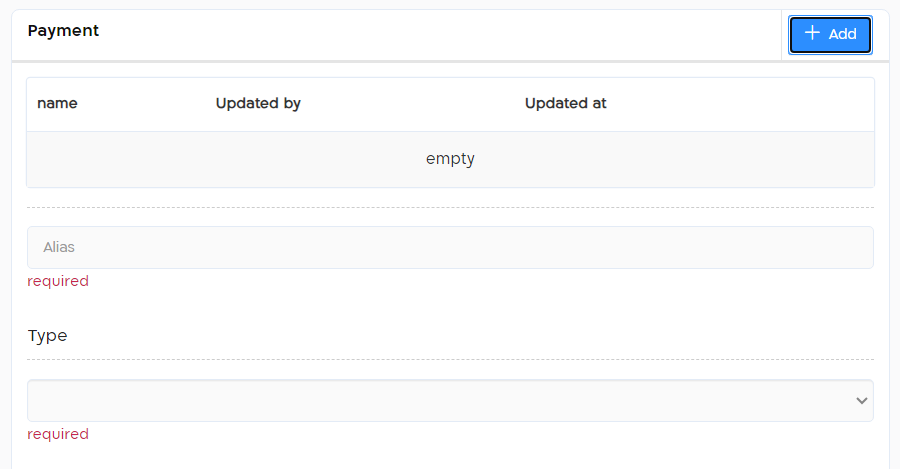
In order to create payment integration in the Cellosign system go to “Integrations” screen and press “+Add” under “Payment” section:

Basic settings
Section titled “Basic settings”| Alias | Add the alias name (any value). |
| Type | Select the Type - “Credit Guard MPI”. |
| Language | Select the language. Default: HEB. |
| Currency | Select the currency. Default: ILS. |

Terminal settings
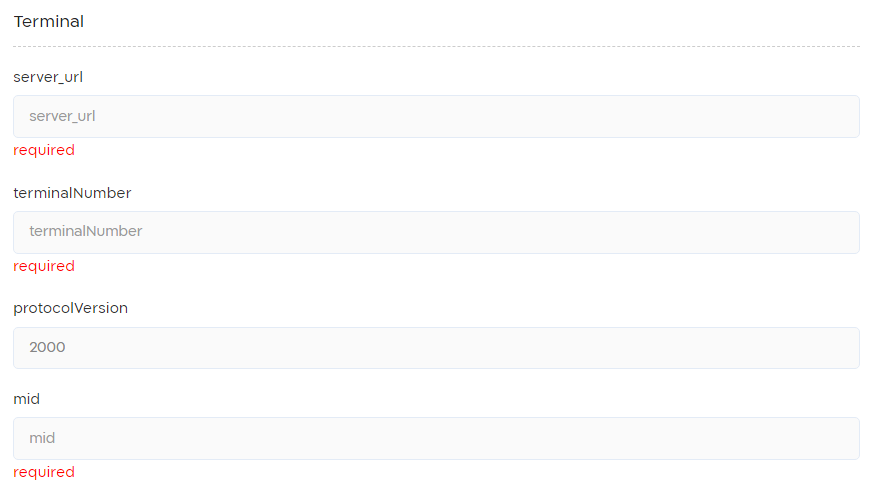
Section titled “Terminal settings”Note: the following information must be obtained from the payment service provider.
| server_url | Add the payment server address. |
| terinalNumber | Add the terminal number. |
| protocolVersion | Add the protocol version, default 2000. |
| mid | Add MID details. |
Authentication settings
Section titled “Authentication settings”| User | Add a valid user name to the payment interface. |
| Password | Add a valid password. |
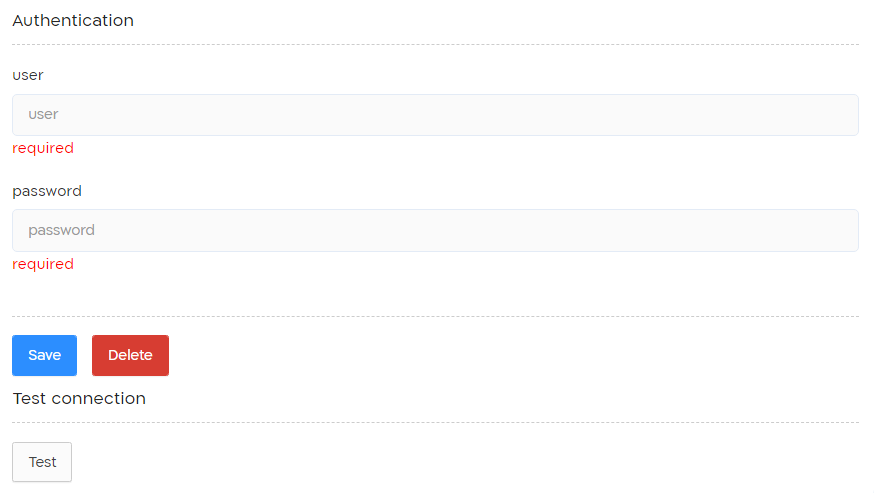
Save and press “Test” button to verify connection with your payment server.
For more information about the implementation of the Payment controller click here.
How credit guard integration works?
Section titled “How credit guard integration works?”The integration with credit guard works in 3 steps:
| Step | What it does? |
|---|---|
| Initialize | When user clicks of payment control in form this step requests credit guard for a url to display terminal in an Iframe. Note:The responsibility for logic, ui and data that included in the iframe is on the client. Cellosign has no way of managing business logic and looks. |
| Inquire | After client confirm the transactions, Cellosign API receive a callback. This callback activate Inquire step that accept data from Credit guard. Note: Inquire response is does not include all the data from Credit guard. This step is terminating the integration with Credit guard only if the result code is not success (“000”) Data from interface will be pushed to form In case your business case requires to stop the process at this point you will need to make sure that the result is any other than success. |
| Verify | This step is triggered if Inquire returns a success. It produce tokens from CG and push back to views and Archive API. |
Notes and Gotchas.
Section titled “Notes and Gotchas.”Blocked auto-focus
Section titled “Blocked auto-focus”In case terminal is not opened in cellosign check the errors console. you may see “Blocked auto-fucus”. Problem is that browser may detect not human action where open an iframe and as result block access to inputs.
What needs to be done is check off any auto-focus elements in your terminal.
Auto focus is attribute that automatically accept focus when form is opened.